
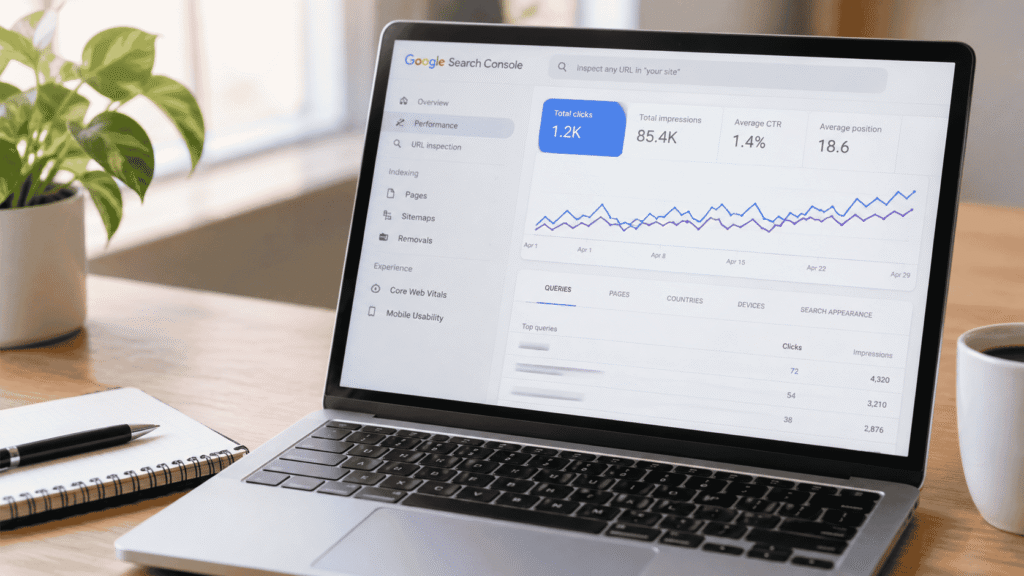
You open Google Search Console, filter the Performance report by page, and spot a keyword my page doesn’t mention sitting in the top five by clicks. No heading uses it. No paragraph mentions it. You didn’t even have it on your radar when you wrote the page. So why is Google sending you clicks for it?
This is one of the most common sources of confusion in Google Search Console, and it’s rarely a bug or a tracking error. It’s actually a window into how modern search engines interpret content, and understanding it can hand you a shortcut to new keyword opportunities you didn’t have to guess at.
Google Doesn’t Match Words. It Matches Meaning.
Search engines stopped being simple keyword-matching systems years ago. Through natural language processing and systems like BERT and MUM, Google now maps queries and pages to the same underlying topic even when the exact wording differs. If your page thoroughly covers a subject, Google can associate it with dozens, sometimes hundreds, of related queries that never literally appear in your copy.
That’s why a page ranks for synonyms, plurals, question phrasings, and closely related search intent, not just the exact keyword you optimized for. This is also the reasoning behind why the easiest keyword isn’t always the best keyword to chase in the first place; Google is often already sending you traffic for terms you never explicitly targeted.
The Usual Suspects Behind the Mismatch
There isn’t one single explanation for why GSC surfaces a keyword my page doesn’t mention. In practice, it’s usually one of a handful of causes, and different causes call for different responses.
| Cause | What’s Happening | Example |
|---|---|---|
| Semantic relevance | Google understands the query and your page cover the same topic, even with different wording | Page about “reducing bounce rate” ranks for “how to keep visitors on my site” |
| Stemming and synonyms | Google treats word variations (plurals, tenses, synonyms) as effectively the same term | Page mentioning “optimizing” ranks for “optimization” |
| Related entities | Your page mentions a brand, tool, or concept closely tied to the query | A page about GMB ranks for “Google Business Profile” |
| Query attribution quirks | GSC groups a query under a page because that page received the click, even if a different page briefly ranked | A featured snippet or “People also ask” click gets attributed to a page that only partially answers it |
| Backlink anchor text | Other sites link to your page using anchor text you never wrote yourself | A partner site links to your page as “affordable SEO help,” and it starts ranking for that phrase |
| Keyword cannibalization | Another page on your own site targets the term, and Google occasionally swaps which URL it shows | Two similar blog posts alternate ranking for the same query |
Most of the time, the explanation is the first two rows on that table: semantic relevance and stemming. Google’s systems are simply better at recognizing topical overlap than most site owners give them credit for.
How to Check Which One Applies to You
Before deciding whether to act on this, it’s worth a few minutes of investigation directly inside Search Console’s Performance report.
- Open the Performance report and filter by the specific page in question.
- Sort the queries table by clicks, then read through the top 10-15 queries rather than just the one that surprised you.
- Check whether the query is a close synonym, a related phrase, or a question form of a topic your page already discusses in depth.
- Search the query yourself (ideally in an incognito window) and see whether your page appears in a featured snippet, “People also ask” box, or standard result.
- Check if another page on your own site also targets that query, which points to cannibalization rather than semantic matching.
If your other pages target the same keyword and clicks are split or fluctuating between them, that’s a structural problem worth fixing. If it’s a single page pulling in a related term on its own, it’s almost always a good sign, not a problem.
Should You Actually Do Anything About It?
In most cases, no urgent action is needed. A page ranking for terms it never explicitly targeted is a sign that Google trusts the page’s topical authority, and that’s exactly the outcome good SEO aims for. Chasing every keyword variation individually would be counterproductive and would likely trigger cannibalization instead of preventing it.
That said, there are two situations where it’s worth making a deliberate change:
- The query has meaningful search volume and isn’t well answered. If the unexpected query is getting real impressions and clicks but your page only touches on it briefly, expanding that section can improve rankings further and reduce the risk of a competitor’s page overtaking you for it.
- The click-through rate for that query is unusually low. If a term ranks well by position but earns few clicks relative to impressions, your title tag or meta description may not reflect the intent behind that specific query, even if the page content does.
Outside of those two scenarios, treat the extra visibility as a bonus rather than a gap to close.
Turning the Discovery Into a Content Opportunity
Rather than viewing an unexpected query as an anomaly, treat Search Console as a free source of validated keyword research. Google is telling you, with real user data, which phrasings people actually use to find content like yours. This is often more reliable than keyword tools, which estimate volume rather than confirm it.
A practical way to use this: once a month, pull the top queries for your best-performing pages and note any that aren’t explicitly addressed in your copy. Where it makes sense, naturally weave that phrasing into a subheading, an FAQ section, or a supporting paragraph. This is a lightweight, low-risk way to reinforce relevance for a query Google is already sending you, rather than trying to rank for a brand-new term from zero.
This kind of ongoing refinement is exactly the sort of item that belongs in a recurring SEO checklist, since it’s easy to run once and forget rather than repeat as new query data accumulates.
When It’s a Symptom of a Bigger Technical Issue
Occasionally, this pattern does point to something worth fixing beyond content. If a query’s ranking page keeps changing week to week, or if clicks for a term are split across three or four similar URLs, that’s keyword cannibalization, and it usually stems from overlapping content published without a clear content map. A structured SEO audit can map out exactly which pages are competing for the same queries and recommend which one should be consolidated or differentiated.
Similarly, if a page is receiving clicks for a completely unrelated query with no topical connection at all, it’s worth checking indexing and crawling behavior. Misconfigured canonical tags, thin content, or duplicate pages can occasionally cause Google to attribute clicks in ways that don’t reflect the content’s actual intent. That’s a good moment to bring in technical SEO services to rule out a crawling or indexing issue rather than a content one.
The Takeaway
Seeing a keyword my page doesn’t mention pick up clicks in Search Console isn’t usually a red flag. It’s a natural byproduct of how Google’s semantic understanding of language works, and in most cases it reflects a page that has earned topical trust well beyond the exact words on it. The right response is rarely to panic and rewrite the page around every surprise query. Instead, check whether the query is genuinely relevant, look for cannibalization if multiple pages are involved, and use the data to refine content you already have rather than starting from scratch. Search Console isn’t just a reporting tool here, it’s quietly telling you what your audience is actually searching for.